
Build Your Engineering Career with a Creo Certification Course in India: From Design Concepts to Industry-Ready Innovation
Engineering is evolving rapidly, and modern industries need professionals who can turn creative ideas into practical products. From automobiles and aircraft to industrial machinery and consumer products, engineers rely on advanced design tools to develop accurate, efficient, and innovative solutions. Therefore, learning professional 3D design software can help aspiring engineers prepare for exciting career opportunities. A Creo Certification Course in India offers learners a structured way to develop product design skills, understand modern engineering workflows, and build confidence in computer-aided design. Whether you are a mechanical engineering student, a diploma graduate, or a working professional, Creo training can help you strengthen your technical knowledge. With practical exercises, industry-oriented projects, and expert guidance, you can take an important step toward a rewarding engineering career.
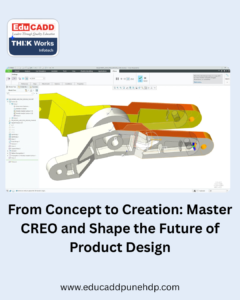
From Concept to Creation: Master CREO and Shape the Future of Product Design
Part One: Discover the Power of Creo for Modern Engineering
Transform Your Engineering Ideas into Realistic 3D Models
Creo is a powerful computer-aided design (CAD) software developed by PTC. It helps engineers create 3D models, assemble components, prepare technical drawings, and develop detailed product designs. Unlike traditional manual drafting, Creo allows designers to modify models quickly and explore different design possibilities. For example, a mechanical engineer can create a machine component, adjust its dimensions, and update related drawings efficiently. Moreover, parametric modelling helps designers control important dimensions and relationships within a model. As a result, engineers can make design changes without rebuilding the entire component. Learning these capabilities through a Creo Certification Course in India can help students understand modern product development practices and prepare for technical responsibilities in engineering companies.
Why Creo Skills Matter in Today’s Engineering Industry
Industries continuously search for ways to improve product quality, reduce development time, and control manufacturing costs. Consequently, companies value professionals who understand digital design tools and engineering principles. Creo supports product development across several sectors, including automotive engineering, aerospace, industrial equipment, consumer products, and machinery manufacturing. Designers use its features to create complex parts, test design alternatives, and prepare manufacturing documentation. Furthermore, 3D models help teams communicate design ideas more clearly than basic sketches alone. This makes CAD knowledge valuable for fresh graduates and experienced professionals alike. By developing practical Creo skills, learners can strengthen their technical profiles and demonstrate their ability to contribute to modern engineering projects.
Explore the Essential Features of Creo Software
Creo provides several tools that support different stages of product design. Part modelling allows users to create individual components with precise dimensions and shapes. Assembly modelling helps them combine components and examine how different parts fit together. Meanwhile, drawing tools support the preparation of engineering drawings with dimensions, annotations, and manufacturing details. Creo also offers surface modelling capabilities for products with complex shapes and smooth curves. In addition, its parametric design approach allows engineers to update models by changing dimensions or design parameters. These features help learners understand the relationship between individual components and complete products. During training, students can practise these tools through guided exercises and gradually progress toward more complex design assignments.
Develop a Strong Foundation in Mechanical Design
Successful CAD professionals need more than software knowledge. They must also understand engineering drawing, geometric dimensions, tolerances, materials, and manufacturing methods. For this reason, beginners should first develop a solid foundation in mechanical design principles. They should learn to interpret orthographic views, understand sectional drawings, and identify essential component dimensions. Next, they can apply this knowledge while creating accurate 3D models in Creo. For example, learners can model shafts, brackets, gears, flanges, and other mechanical components. These exercises improve visualisation skills and develop attention to detail. Additionally, understanding manufacturing processes helps designers create components that are practical to produce. Combining engineering fundamentals with CAD training creates a stronger foundation for future design responsibilities.
Learn Parametric Part Modelling and Assembly Design
Parametric modelling is one of the most useful skills for engineers working with Creo. It allows designers to define dimensions, relationships, and features that control a model’s geometry. When a design requirement changes, engineers can modify selected parameters and update the model accordingly. During training, learners can practise sketching, extruding, revolving, sweeping, blending, and applying other modelling operations. After mastering individual parts, they can move on to assembly design. This process involves positioning components, defining constraints, and checking how parts fit together. For instance, students can develop a simple gearbox assembly or a mechanical fixture. Such activities improve design accuracy and help learners understand how individual components work within a larger product.
Create Professional Engineering Drawings with Creo
Engineering drawings communicate essential manufacturing information to production teams, quality inspectors, and other engineers. Therefore, drawing creation forms an important part of professional CAD training. Creo enables users to generate drawing views from 3D models and add dimensions, notes, symbols, and tolerances. Learners can practise creating front, top, side, isometric, and sectional views. They can also understand how to present measurements clearly and follow applicable engineering drawing conventions. Accurate documentation reduces confusion during manufacturing and inspection. Furthermore, drawing exercises help students connect digital modelling with real engineering requirements. By completing drawing assignments, learners can develop the skills needed to prepare clear technical documentation and support product development activities.
Understand Creo’s Role in Product Development
Product development involves several connected stages, from identifying a requirement to creating a design, testing its suitability, and preparing it for manufacturing. Creo can support many of these activities through its modelling, assembly, drawing, and analysis-related capabilities. For example, an engineer developing a machine enclosure can create the initial model, revise its dimensions, and prepare drawings for production. The design team can then review the model and make improvements before manufacturing begins. This approach helps identify design issues earlier in the process. However, successful product development also requires engineering judgement, collaboration, and appropriate validation. Learning Creo alongside these principles helps students understand how CAD fits into real industrial workflows.
Part Two: Turn Your Creo Training into Career Opportunities
Build Practical Skills Through Industry-Oriented Projects
Practical projects allow learners to apply software commands to realistic engineering challenges. Instead of memorising individual tools, students learn how to select the right features and complete a design task from beginning to end. For example, a learner might model a mounting bracket, create its assembly, and prepare a dimensioned drawing. Another project could involve designing a small mechanical fixture or a simple machine housing. These assignments develop problem-solving ability and improve design accuracy. Moreover, completed projects can demonstrate a learner’s progress to trainers and potential employers. A well-organised project portfolio provides useful evidence of practical ability, especially for fresh graduates who have limited industrial experience.
Discover Career Opportunities After Creo Certification
Creo skills can support applications for several entry-level and developing engineering roles. Depending on their qualifications, practical experience, and employer requirements, learners may pursue opportunities such as CAD Designer, Mechanical Design Engineer, Product Design Engineer, Junior Design Engineer, or CAD Draftsman. Some professionals also specialise in component modelling, assembly design, or engineering documentation. However, a certificate alone does not guarantee employment. Employers often assess technical knowledge, drawing interpretation, modelling accuracy, communication, and problem-solving skills. Therefore, learners should combine certification preparation with practical projects and interview practice. A strong technical foundation can help candidates demonstrate their abilities and identify suitable opportunities across different engineering sectors.
Explore Industries That Use Creo Professionals
Creo is relevant to industries that develop physical products and mechanical systems. Automotive companies use 3D design tools to develop components, assemblies, and vehicle-related products. Aerospace and industrial equipment businesses require accurate models and detailed engineering documentation. Similarly, manufacturers of machinery, consumer appliances, and specialised equipment use CAD tools throughout product development. Opportunities vary according to local demand, company requirements, and an applicant’s experience. Nevertheless, understanding the needs of different industries can help students select relevant projects and improve their job preparation. For example, learners interested in automotive design can practise modelling mechanical components and assemblies. Those interested in industrial machinery can focus on fixtures, housings, and equipment parts.
Improve Your Resume and Engineering Portfolio
A professional resume should clearly communicate your technical knowledge and practical achievements. Instead of listing software names alone, describe the tasks you can perform with Creo. For example, mention part modelling, assembly creation, engineering drawing preparation, and parametric design when these reflect your actual abilities. In addition, include selected project examples with short descriptions of the design problem and your approach. You can organise screenshots, drawings, and project summaries into a digital portfolio. Always ensure that the work belongs to you and does not reveal confidential information. Furthermore, practise explaining your design decisions during interviews. A clear portfolio and honest presentation can help recruiters understand your capabilities and assess your suitability for entry-level engineering roles.
Choose the Right Creo Certification Training Institute
Selecting an appropriate training institute can make your learning journey more effective. First, review the course syllabus to ensure it covers essential modelling, assembly, drawing, and project-based activities. Next, ask whether the training includes regular practical sessions and individual assignments. Experienced trainers can explain difficult concepts and guide learners through common design problems. You should also check the availability of software access, learning support, assessment methods, and project guidance. Additionally, compare course duration, fees, and batch timings before making a decision. If you are searching for a Creo Certification Course in India, consider EDUCADD Hadapsar as an option for engineering software training. Contact the institute directly to confirm the current Creo syllabus, certification details, practical training facilities, and placement assistance available for your chosen course.
Prepare for Interviews and Continuous Professional Growth
Completing a course is an important milestone, but consistent practice helps you retain and improve your skills. Start by revising core modelling commands, assembly constraints, drawing tools, and parametric relationships. Then, practise explaining how you would approach a design problem. Interviewers may ask you to interpret engineering drawings, create a simple component, or describe how you would correct a modelling error. Therefore, regular hands-on practice can improve both technical confidence and communication. You should also remain open to learning related tools and engineering concepts as your career develops. By combining Creo knowledge with mechanical fundamentals, teamwork, and problem-solving, you can prepare for more demanding design responsibilities over time.
Take the Next Step Towards an Engineering Career with Creo
The right training programme can help turn your interest in engineering design into practical knowledge. Start by identifying your career goals and assessing your current understanding of mechanical engineering. Then, select a course that matches your learning needs and provides sufficient time for hands-on practice. Set achievable targets, complete every assignment, and build a portfolio that reflects your progress. Additionally, seek feedback from trainers and improve your models whenever possible. These habits can help you become a more confident and organised learner. With dedication and consistent effort, you can develop skills that support your long-term goals in CAD, mechanical design, and product development.
Conclusion: Design Your Future with Confidence
Engineering innovation begins with the ability to transform ideas into workable solutions. Creo gives aspiring designers a useful set of tools for creating 3D models, developing assemblies, and preparing technical drawings. A Creo Certification Course in India can provide a structured learning path for students, fresh graduates, and professionals who want to improve their CAD skills. However, lasting progress depends on practical experience, engineering knowledge, and continuous learning. Choose a training programme that emphasises real projects and clear technical understanding. Practise regularly, prepare a professional portfolio, and explore career opportunities that match your qualifications. With the right approach, you can build a stronger foundation for a future in modern engineering design.

